
Gitlet 项目实现与设计总结
前言
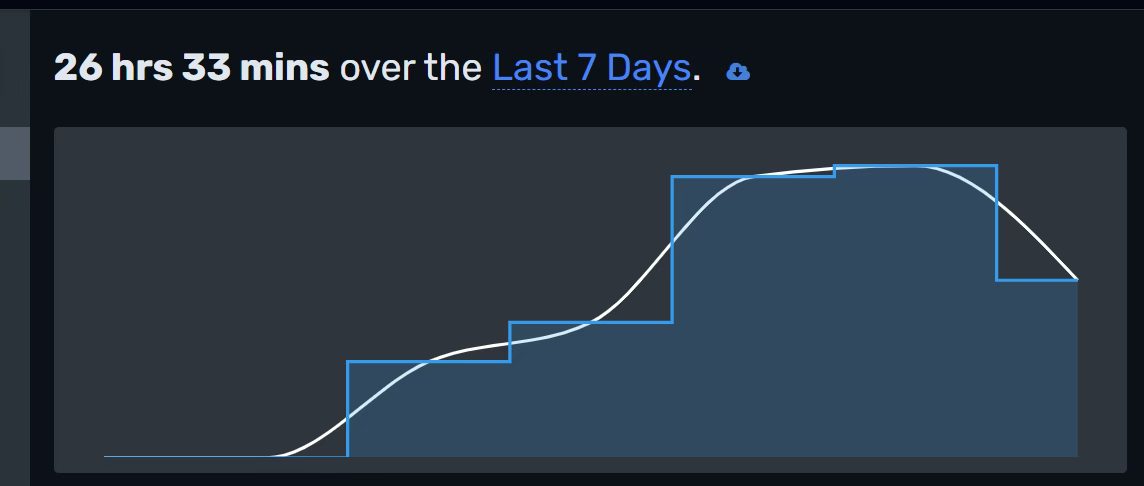
早已听闻gitlet是个值得手搓+自己debug的入门项目(实际做下来确实如此):1.4w单词的文档、1k+行代码,对于没写过工业级代码的小白来说是很好的锻炼机会.于是寒假挑了连续的几天把项目完完整整写完(包含EC),总共用时加上lab6大概是26h(不过这26h是单纯在IDEA界面的计时,算上读文档应该接近40h),如下:
- 第一天:完成lab6,熟悉文件IO
- 第二天:完成到log?有点忘了
- 第三天:完成除了merge和EC的所有部分
- 第四天:完成merge
- 第五天:完成EC

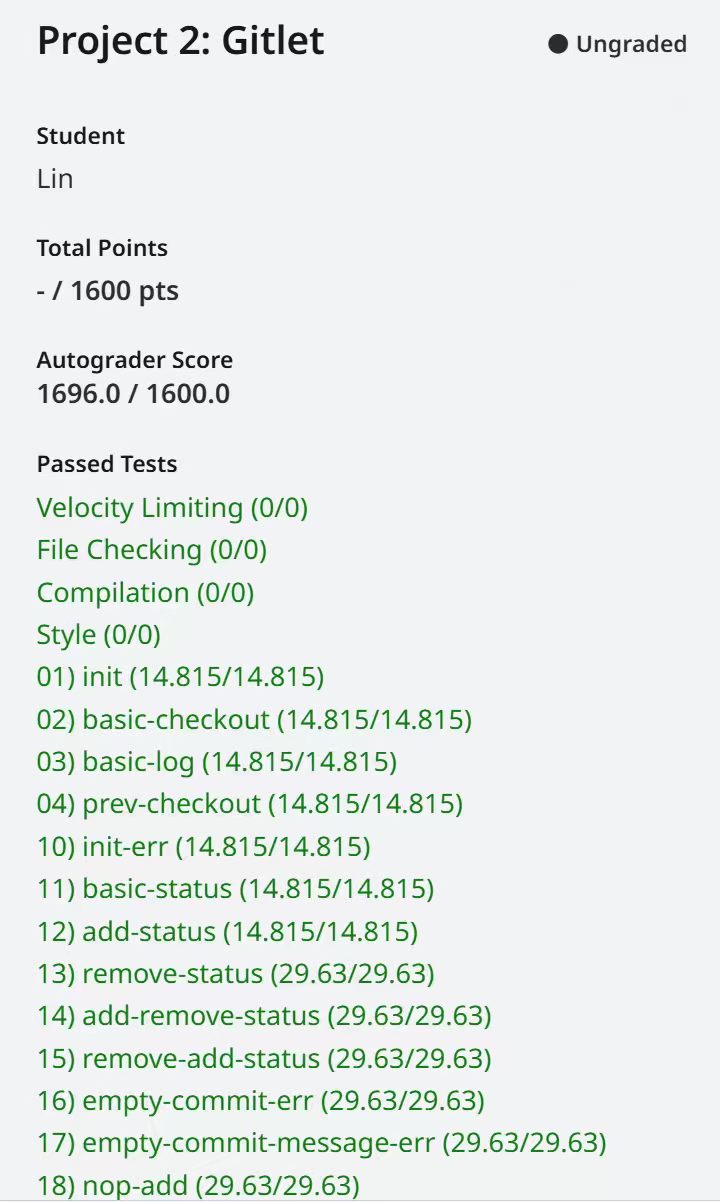
同时附上完成的截图~
在过程中用到的网站/工具:
Lab6
Gitlet官方spec
官方Git Intro
补充测试样例
【原理解析】让你完全搞明白Git是如何管理你的代码的
由于课组要求将GitHub仓库设为private,无法展现所有源代码,后文贴出部分仅供参考.总体思路
文件结构
首先要确定文件夹的结构以及需要添加哪些类.我除了Commit以外都没有设计新的类(也就是只用了官方给的文件),文件夹的结构是:Java的1
2
3
4
5
6
7
8
9
10
11
12
13
14
15
16
17
18
19
20
21
22
23
24
25
26
27
28
29
30
31
32
33
34
35
36/*
.gitlet/
- objects/
- commits/
- ...(files of commits)
- blobs
- ...(files of blobs)
- stages/
- addStage/
- ...(files in addStage)
- removeStage/
- ...(files in removeStage)
- branches/
- master
- ...(other branches)
- remotes/
- head (point to current branch)
*/
/** The current working directory. */
public static final File CWD = new File(System.getProperty("user.dir"));
/** The .gitlet directory. */
public static final File GITLET_DIR = join(CWD, ".gitlet");
/** The commits directory. */
public static final File COMMITS = join(GITLET_DIR, "objects", "commits");
/** The blobs directory. */
public static final File BLOBS = join(GITLET_DIR, "objects", "blobs");
/** The addStage directory. */
public static final File ADD = join(GITLET_DIR, "stages", "addStage");
/** The removeStage directory. */
public static final File REM = join(GITLET_DIR, "stages", "removeStage");
/** The branches directory. */
public static final File BRANCHES = join(GITLET_DIR, "branches");
/** The remotes directory. */
public static final File REMOTES = join(GITLET_DIR, "remotes");
/** The head file. */
public static final File HEAD = join(GITLET_DIR, "head");File类型本质就是一个路径,此处用官方给的join方法是保证在不同的操作系统中能出现正确的分隔符(/和\).Objects
commits和blobs文件夹一起放在objects文件夹下是模仿git原来的设计(虽然并没有用对象存blobs🤣).
blobs的逻辑是:blob内部存储的是某一个文件的内容,不需要存储是哪一个文件的内容,只需要内容即可;将文件的内容读出后转化为SHA1值,将其作为该blob文件的文件名(贴出我写的saveBlob方法,可能对理解有帮助).1
2
3
4
5
6
7
8
9
10
11
12
13
14
15/** Return the SHA-1 hash of the content in the file. */
static String getFileSHA(File file) {
return sha1(readContents(file));
}
/** Save a file to Blob, return false if there have been the same blob. */
static boolean saveBlob(File file) {
String fileSHA1 = getFileSHA(file);
File newBlob = join(Repository.BLOBS, fileSHA1);
if (newBlob.exists()) {
return false;
}
writeContents(newBlob, readContents(file));
return true;
}
Commit类的成员变量包含:1
2
3
4
5private String message;
private String timeStamp;
private String parentCommit1SHA1;
private String parentCommit2SHA1;
private HashMap<String, String> fileNameToSHA1;
message和timestamp好理解;parent用SHA1值存而不是Commit存是为了方便查找,存有两个parent是为merge做准备;HashMap的键是在这个Commit中的文件名,值是文件名对应的blobs的SHA1值(在原git中,其是存tree,其中tree可以递归存储文件夹;该简化版本中只需要处理顶层文件,不需要考虑嵌套文件夹,直接用Commit存对应关系即可).
当一个Commit确定后,用官方给的 serialize 方法转变成字节数组,然后再将其转变为SHA1值,这个Commit就存放在 .gitlet/objects/commits/<SHA1值> 下;再用官方给的 writeObject 方法将Commit对象写进这个文件.
用SHA1值当文件名的好处:每次判断文件是否存在或者找文件时不用逐个遍历,用文件的 exists 方法可以
Stages
分为addStage和removeStage.存放的文件形式:文件名与CWD中的一样,就是正常的文件名;文件内容是该文件名对应的blob的SHA1值.
branches
文件名就是分支的名字,如master、other;文件的内容是这个分支指向的Commit的SHA1值.
remotes
选做部分用到的,用于存放remote的仓库,文件名是remote的名字,文件内容是remote的路径.
head
在 .gitlet/ 下唯一非文件夹形式的.文件名就是head,存的内容是head所指分支名字,如master.gitlet中不需要实现detached head情况,因此head永远会指向某个branch.
辅助方法
官方在 Utils.java 中为我们提供了许多辅助方法,大多是处理文件IO的问题,让我们专注于项目的逻辑而不是Java一些繁杂的语法(说的就是你try catch throw),主要包含1
2
3
4
5
6
7
8
9
10
11
12
13
14
15
16
17
18
19// 转化为SHA1值
static String sha1(Object... vals);
// 将文件内容以byte[]形式读出
static byte[] readContents(File file);
// 将文件内容以String形式读出
static String readContentsAsString(File file);
// 将内容写入文件
static void writeContents(File file, Object... contents);
// 将对象类型从文件读出,配合writeObject使用
static <T extends Serializable> T readObject(File file, Class<T> expectedClass);
// 将对象类型从文件写入,配合readObject使用
static void writeObject(File file, Serializable obj);
// 以String列表形式返回在dir文件夹下的顶层文件(忽略嵌套文件夹)
static List<String> plainFilenamesIn(File dir);
static File join(File first, String... others);
static byte[] serialize(Serializable obj);
除了上述方法外,一些常用的方法也可以自己补充并放入Utils里,方便代码复用.贴出几个我在Utils里写的辅助方法:1
2
3
4
5
6
7
8
9
10
11
12
13
14
15
16
17
18
19
20
21
22
23
24
25
26
27
28
29
30
31
32
33
34
35
36
37
38
39
40// 除了init外的每一个方法都要用到,必写!
/** Check if the .gitlet directory exists, if not, print and exit. */
static void checkGitletExists() {
if (!Repository.GITLET_DIR.exists()) {
System.out.println("Not in an initialized Gitlet directory.");
System.exit(0);
}
}
// 很多方法需要判断文件是否存在,不存在要打印出那句话,直接复用
/** Check if there is a file with given name in CWD, if not, print and exit. */
static void checkFileExists(File file) {
if (!file.exists()) {
System.out.println("File does not exist.");
System.exit(0);
}
}
// 在我的文件结构下很重要的一个方法,每次想要得到当前的commit都要经历head->branch->commit的繁琐步骤,因此写成方法
/** Return the Commit's SHA1 which head points at. */
static String getCurrentCommitSHA() {
String currentBranch = readContentsAsString(Repository.HEAD);
File branchInFile = join(Repository.BRANCHES, currentBranch);
return readContentsAsString(branchInFile);
}
// 这两个方法可以方便地将commit与其对应的SHA1值转化,使用率很高
static String commitToSHA(Commit commit) {
return sha1(serialize(commit));
}
static Commit shaToCommit(String commitSHA) {
if (commitSHA == null) {
return null;
}
File commitInFile = join(Repository.COMMITS, commitSHA);
if (!commitInFile.exists()) {
return null;
}
return readObject(commitInFile, Commit.class);
}
辅助方法需要根据自己的文件结构及需求来写,其余方法就不展示了~
命令方法(必做部分)
此部分按照我认为合理的方法顺序给出方法的简要实现(不一定是官方给出的顺序)以及贴出部分过程.
init
首先判断 .gitlet/ 文件夹是否存在,如果存在就退出;不存在就创建这个文件夹并且创建上述文件夹.同时进行其他的初始化:创建一个map为空的initial commit和指向该commit的分支master.对于initial commit的创建,可以在commit类内专门写一个无参的构造函数作为初始化:1
2
3
4
5
6
7public Commit() {
this.message = "initial commit";
this.timeStamp = Utils.dateToTimeStamp(new Date(0));
this.parentCommit1SHA1 = null;
this.parentCommit2SHA1 = null;
this.fileNameToSHA1 = new HashMap<>();
}
其他的部分就是跟着spec一步步走即可.
add
先检查 .gitlet/ 文件夹以及指定文件是否存在(后面每个命令都要检查了);
按照需求,若给定文件在removeStage中需要移除:直接用join得到路径后调用对象的delete方法即可,即使没有该文件也不会报错.
接下来需要将这个文件的blob存下来,调用之前的saveblob方法;同时注意在当前的commit的map的值中是否有这个blob,有的话说明不应该添加(与当前commit一样,提交commit时会自己复制),没有的话说明应该添加,直接添加或者覆盖.
参考代码:1
2
3
4
5
6
7
8
9File fileInADD = join(ADD, fileName);
if (!saveBlob(fileInCWD)) {
String fileSHAinCommit = getCurrentCommit().queryFile(fileName);
if (fileSHA.equals(fileSHAinCommit)) {
fileInADD.delete();
return;
}
}
writeContents(fileInADD, fileSHA);
其中commit的queryFile是Commit类的一个public方法,返回文件名对应的blobSHA1,如果不存在返回null.
rm
如果文件在addStage里将其移除;不在addStage里,但在最新commit里,要将其加入removeStage,并且将本地的该文件删除(如果有).
大体操作和add类似,不过由于remove时不用删除blob(也不能删除,因为可能要回到之前的版本),因此removeStage里的文件只需要写个文件名就行了,内容不用写.
branch && rm-branch
branch本质就是指向commit的指针,只需要在 branches/ 文件夹下创建一个同名的文件,内容为当前commit的SHA1值,就大功告成了!
删除同理,直接在 branches 里找到这个文件,如果存在删除即可.
commit
创建一个新的commit对象,该对象的parent指向当前的commit,map和其parent的map相等(注意Java的浅拷贝问题,可以给commit类写一个方法复制一个相同的map而不是原map的引用).
然后基于当前Stages里的内容对相应的文件做修改,使用官方给的 plainFilenamesIn 得到两个stage内的文件.对于addStage中的文件,找到其路径,将其内容(blob的SHA1值)读出,将文件名和对应BLOB值一并存入map中,然后将该文件从addStage中删除.
removeStage中的文件同理,将文件名的键值对从新commit的map中删除,同时将该文件从removeStage中删除.
接着Commit内容已经定型,可以将其转为SHA1值并写入文件.最后记得不要忘记将当前的branch指向这个新的commit.
log
在DFS内部加上按照格式要求的print函数,每次DFS到parent就将信息打印直到结束.
global-log
显示所有commit的信息,由于commit是不可删除的,直接进入commits文件夹用 plainFilenamesIn 读出里面的所有文件,然后逐个打印即可.
参考代码:1
2
3
4
5
6
7
8
9
10
11
12
13
14
15
16
17
18
19
20
21
22
23
24
25
26
27
28
29
30
31
32private static void logDFS(String commitSHA1) {
if (commitSHA1 == null) {
return;
}
Commit thisCommit = shaToCommit(commitSHA1);
if (thisCommit == null) {
return;
}
printCommit(commitSHA1, thisCommit);
logDFS(thisCommit.getParentCommit1SHA1());
}
/** Display information about each commit backwards along the commit tree. */
public static void log() {
checkGitletExists();
logDFS(getCurrentCommitSHA());
}
/** Display information about all commit. The order doesn't matter. */
public static void globalLog() {
checkGitletExists();
List<String> commitSHAs = plainFilenamesIn(COMMITS);
if (commitSHAs == null) {
return;
}
for (String commitSHA : commitSHAs) {
Commit thisCommit = shaToCommit(commitSHA);
if (thisCommit != null) {
printCommit(commitSHA, thisCommit);
}
}
}
find
根据给定的message找到对应的commit.和global-log一样遍历所有commit,以对象读出后一一比对message内容即可,多个符合的就全部打印.
status
首先是打印分支,找到branches下的所有文件后排序(spec要求)遍历打印;打印前比较是否为当前分支,如果是的话打一个 *.
接着是打印addStage和removeStage里的内容,也是遍历打印即可.
EC部分:打印Modifications Not Staged For Commit文件和Untracked文件.对于前者,spec给出了四种分类:
- Tracked in the current commit, changed in the working directory, but not staged; or
- Staged for addition, but with different contents than in the working directory; or
- Staged for addition, but deleted in the working directory; or
- Not staged for removal, but tracked in the current commit and deleted from the working directory.
以及对Untrained的定义:The final category (“Untracked Files”) is for files present in the working directory but neither staged for addition nor tracked. This includes files that have been staged for removal, but then re-created without Gitlet’s knowledge.
根据上述定义,我们只需要分成六类,一个一个处理即可.我的思路是:先创建一个文件名的集合,取CWD、addStage和当前commit中所有文件的并集,然后对并集中的元素逐个判断六个条件(1-4对应modification not staged,5-6对应untracked):
- 修改了但是没有add的:
fileSHAInADD == null && fileSHAInCWD != null && fileSHAInCommit != null && !fileSHAInCommit.equals(fileSHAInCWD)) - add了但是再次修改的:
fileSHAInADD != null && fileSHAInCWD != null && !fileSHAInADD.equals(fileSHAInCWD) - add了但是在CWD被删除的:
fileSHAInADD != null && fileSHAInCWD == null - 在commit中有,并没有remove但是在CWD被删除的:
!fileInREM.exists() && fileSHAInCWD == null && fileSHAInCommit != null - 只在CWD有:
fileSHAInCommit == null && fileSHAInADD == null && fileSHAInCWD != null && !fileInREM.exists() - CWD和REM同时存在:
fileSHAInCWD != null && fileInREM.exists()
将这些文件处理完后,按照字典序打印即可.
checkout
由于有三种类型,我写了个helper方法,同步给定commit的给定文件:1
2
3
4
5
6
7
8
9
10
11
12
13private static void checkoutHelper(Commit commit, String fileName) {
/* 如果commit存在这个文件,获取其Blob的SHA */
String fileSHA = commit.queryFile(fileName);
if (fileSHA == null) {
System.out.println("File does not exist in that commit.");
return;
}
/* 覆写 */
File fileInBlob = join(BLOBS, fileSHA);
File fileInCWD = join(CWD, fileName);
writeContents(fileInCWD, readContents(fileInBlob));
}
第一种:传入的commit用当前commit即可.
第二种:用commitID找到对应的commit,传入参数即可.注意这里的commitID一般是前缀而不是完整的40位SHA1,需要写一个前缀匹配函数.
第三种:首先先将该检查的检查了,接着按照要求将stages全部清空,将目标branch指向的commit内容复制到CWD,最后将head指向目标branch.
复制函数参考:1
2
3
4
5
6
7
8/** Copy all files in a commit and paste them in CWD. */
static void copyCommitToCWD(Commit commit) {
HashMap<String, String> fileNameToBlob = commit.getMap();
for (Map.Entry<String, String> entry : fileNameToBlob.entrySet()) {
File fileInCWD = join(Repository.CWD, entry.getKey());
writeContents(fileInCWD, readContents(getBlob(entry.getValue())));
}
}
reset
回到给定的commit,这个功能也是原git中checkout的功能之一.大题思路和checkout的第三种类似,唯一不同点是这次不是改变head而是改变branch.
merge
必做部分的重头戏.先检查各种特殊情况.
由于需要找祖先,因此需要写一个用BFS找结点祖先的方法(此处不能用DFS,因为要按照祖先顺序给出来找到最近的公共祖先):1
2
3
4
5
6
7
8
9
10
11
12
13
14
15
16
17
18
19
20
21
22
23/** Return a set of all ancestors of the given commit. */
private static HashSet<String> getAncestors(String commitSHA) {
/* 先将自己加入集合、队列 */ HashSet<String> ancestorSHAs = new HashSet<>();
ancestorSHAs.add(commitSHA);
Queue<Commit> ancestors = new ArrayDeque<>();
ancestors.add(shaToCommit(commitSHA));
/* BFS */
while (!ancestors.isEmpty()) {
Commit currentCommit = ancestors.remove();
String parent1SHA = currentCommit.getParentCommit1SHA1(),
parent2SHA = currentCommit.getParentCommit2SHA1();
if (parent1SHA != null) {
ancestorSHAs.add(parent1SHA);
ancestors.add(shaToCommit(parent1SHA));
}
if (parent2SHA != null) {
ancestorSHAs.add(parent2SHA);
ancestors.add(shaToCommit(parent2SHA));
}
}
return ancestorSHAs;
}
不妨记当前branch指向commit1,被合并的branch指向commit2.接下来需要判断这二者是否有一个是另一个的祖先:如果commit2是祖先就不需要操作;commit1是祖先,就要reset到commit2.
其余情况中,commit1、2必然有一个不同于他们的公共祖先,任取其中一个BFS得到其祖先的List,再转化成Set;再对另一个结点BFS,每次取出队头的时候都判断Set是否contains这个结点,找到的第一个结点就是最近公共祖先,记为commit0.
接下来就是对spec给出的八种情况一一比较.
spec原文:
- Any files that have been _modified_ in the given branch since the split point, but not modified in the current branch since the split point should be changed to their versions in the given branch (checked out from the commit at the front of the given branch). These files should then all be automatically staged. To clarify, if a file is “modified in the given branch since the split point” this means the version of the file as it exists in the commit at the front of the given branch has different content from the version of the file at the split point. Remember: blobs are content addressable!
- Any files that have been modified in the current branch but not in the given branch since the split point should stay as they are.
- Any files that have been modified in both the current and given branch in the same way (i.e., both files now have the same content or were both removed) are left unchanged by the merge. If a file was removed from both the current and given branch, but a file of the same name is present in the working directory, it is left alone and continues to be absent (not tracked nor staged) in the merge.
- Any files that were not present at the split point and are present only in the current branch should remain as they are.
- Any files that were not present at the split point and are present only in the given branch should be checked out and staged.
- Any files present at the split point, unmodified in the current branch, and absent in the given branch should be removed (and untracked).
- Any files present at the split point, unmodified in the given branch, and absent in the current branch should remain absent.
- Any files modified in different ways in the current and given branches are _in conflict_. “Modified in different ways” can mean that the contents of both are changed and different from other, or the contents of one are changed and the other file is deleted, or the file was absent at the split point and has different contents in the given and current branches. In this case, replace the contents of the conflicted file with
1
2
3
4
5<<<<<<< HEAD
contents of file in current branch
=======
contents of file in given branch
>>>>>>>
看着有八种,其实可以分为三种:和status一样,取文件在commit012中的并集.对于每一个文件,它在commit012中有不同的形态(不存在也是一种形态)
- 三者都相同:不用动
- 三者都不同:conflict
- 两两相同:
- commit0和另一个相同,保留第三者
- commit12相同,不用操作
在实际操作中是基于commit1来修改的,因此还可以省略掉一些操作:如果commit0和commit2相同,此时需要保留commit1,但是新commit复制的模板就是commit1,因此这个时候可以不用修改.最后记得把新的commit提交.
贴出条件判断部分的代码~1
2
3
4
5
6
7
8
9
10
11
12
13
14
15
16
17
18
19
20
21
22
23
24
25
26
27
28
29
30
31
32
33
34
35
36
37
38
39
40
41
42
43
44
45
46
47
48
49
50
51
52
53
54
55
56
57
58
59for (String fileName : allFilenames) {
String spFileSHA = splitPoint.queryFile(fileName);
String currentFileSHA = currentCommit.queryFile(fileName);
String otherFileSHA = otherCommit.queryFile(fileName);
/* 1.current无修改,other修改:使用修改后的版本 */
if (spFileSHA != null && spFileSHA.equals(currentFileSHA) && otherFileSHA != null && !spFileSHA.equals(otherFileSHA)) {
checkout2(otherCommitSHA, fileName);
add(fileName);
continue;
}
/* 2.current修改,other无修改:不操作 */
if (spFileSHA != null && spFileSHA.equals(otherFileSHA) && currentFileSHA != null && !spFileSHA.equals(currentFileSHA)) {
continue;
}
/* 3.只要current和other均存在且相等:不操作 */
if (currentFileSHA != null && currentFileSHA.equals(otherFileSHA)) {
continue;
}
if (currentFileSHA == null && otherFileSHA == null) {
continue;
}
/* 4.只在current出现:不操作 */
if (spFileSHA == null && otherFileSHA == null) {
continue;
}
/* 5.只在other出现:使用other的 */
if (spFileSHA == null && currentFileSHA == null) {
checkout2(otherCommitSHA, fileName);
add(fileName);
continue;
}
/* 6.sp和current相同,other不存在:将该文件删除 */
if (spFileSHA != null && spFileSHA.equals(currentFileSHA)
&& otherFileSHA == null) {
rm(fileName);
continue;
}
/* 7.sp和other相同,current不存在:不操作 */
if (spFileSHA != null && spFileSHA.equals(otherFileSHA)
&& currentFileSHA == null) {
continue;
}
/* 8.其他情况:冲突 */
System.out.println("Encountered a merge conflict.");
byte[] contentInCurrent = getBlobContent(currentCommit, fileName);
byte[] contentInOther = getBlobContent(otherCommit, fileName);
String head = "<<<<<<< HEAD\n", body = "=======\n", tail = ">>>>>>>\n";
File fileInCWD = join(CWD, fileName);
if (contentInCurrent != null && contentInOther != null) {
writeContents(fileInCWD, head, contentInCurrent, body, contentInOther, tail);
} else if (contentInCurrent == null && contentInOther != null) {
writeContents(fileInCWD, head, body, contentInOther, tail);
} else if (contentInCurrent != null) {
writeContents(fileInCWD, head, contentInCurrent, body, tail);
} else {
writeContents(fileInCWD, head, body, tail);
}
add(fileName);
}
命令方法(选做部分)
首先要理解remote到底是什么:并不是要你写出GitHub那样上传到网站的仓库,而是类似于在本地路径上有另一个仓库,那个仓库也有一个 .gitlet/ 文件夹.
add-remote
[remote name] 可以看作是当前仓库给另一个仓库起的名字,如origin.而 [name of remote directory]/.gitlet 就是另一个仓库的 .gitlet/ 所在路径.
add-remote和branch有点类似,其实只是写一个类似指针的加入到文件即可(并且根据spec,add-remote还不用检查文件合法性),直接以 [remote name] 创建文件,写入路径 [name of remote directory]/.gitlet 即可.
注意:spec中说路径分隔符给的是 /,建议用Java的seperator代替掉所有的 /,防止操作系统的原因产生问题.1
2String actualPath = remotePath.replace("/", File.separator);
File remoteInFile = join(REMOTES, remoteName);
rm-remote
和rm-branch类似,在remote中找到给定文件名对应的文件删除即可.
push
在push和fetch之前,先写两个复制辅助方法:将commits和blobs从一个仓库复制到另一个仓库.1
2
3
4
5
6
7
8
9
10
11
12
13
14
15
16
17
18
19
20
21
22/** Copy commit in Repo1 to Repo2 */
static void copyCommits(File repo1, File repo2, String commitSHA) {
File commitInRepo1 = join(repo1, "objects", "commits", commitSHA);
Commit oldCommit = readObject(commitInRepo1, Commit.class);
File commitInRepo2 = join(repo2, "objects", "commits", commitSHA);
writeObject(commitInRepo2, oldCommit);
copyBlobs(repo1, repo2, oldCommit);
}
/** Copy blobs of given commit in Repo1 to Repo2 */
static void copyBlobs(File repo1, File repo2, Commit commit) {
HashMap<String, String> fileNamesToBlob = commit.getMap();
for (String blobSHA : fileNamesToBlob.values()) {
File blobInRepo1 = join(repo1, "objects", "blobs", blobSHA);
File blobInRepo2 = join(repo2, "objects", "blobs", blobSHA);
if (!blobInRepo2.exists()) {
byte[] content = readContents(blobInRepo1);
writeContents(blobInRepo2, content);
}
}
}
对push的理解:首先在给定 [remote name] 和 [remote branch name] 指向的commit(记为commitR)必须是自身仓库head指向commit(记为commit0)的祖先结点,否则报错退出.
根据spec说明以及GitHub的类似实现,我们需要将commitR到commit0(左开右闭)之间的所有commit都push过去,因此需要写一个递归函数,该函数接受两个仓库路径和一个commit的SHA1值,当commit的SHA1值等于commitR的时就结束,否则在本地仓库复制给定commit到远程仓库,并递归当前结点的两个parent结点.1
2
3
4
5
6
7
8
9
10
11
12
13
14private static void pushHistory(File localRepo, File remoteRepo, String currentSHA) {
if (currentSHA == null) {
return;
}
File localCommitInFile = join(localRepo, "objects", "commits", currentSHA);
File remoteCommitInFile = join(remoteRepo, "objects", "commits", currentSHA);
if (remoteCommitInFile.exists()) {
return;
}
copyCommits(localRepo, remoteRepo, currentSHA);
Commit localCommit = shaToCommit(currentSHA);
pushHistory(localRepo, remoteRepo, localCommit.getParentCommit1SHA1());
pushHistory(localRepo, remoteRepo, localCommit.getParentCommit2SHA1());
}
最后记得把remote的branch更新到最新commit.
fetch
push的反向操作.检查后,在本地的 .gitlet/branches 文件夹下创建一个 [remote name] 文件夹,文件夹中再创建一个 [remote branch name].该文件和本地的branch规则相同.
接着BFS遍历commitR的所有祖先,如果不存在就将其复制到本地仓库:1
2
3
4
5
6
7/* BFS遍历remote的所有祖先,有不同的commit就复制过来 */
for (String remoteAncestor : remoteAncestors) {
File remoteCommit = join(COMMITS, remoteAncestor);
if (!remoteCommit.exists()) {
copyCommits(remotePath, GITLET_DIR, remoteAncestor);
}
}
我们不需要关心remote的commits是否会接到当前gitlet的DAG中,因为commit自己会存储自己的parent,只要将commit本身复制过来即可;如果remote的其他所有commit都和本地的不同,由于init时会自带一个initial commit是必定相同的,最后会接到initial commit上.
pull
spec已经写好了:fetch + merge,直接调用这两个指令即可.
总结
最后Repository类里是847行,Utils类里总共是568行(官方给的在前236行),Commit类里是113行.完成后对比了别人的代码(发现好像只有我直接用文件夹操作stages和blob,别人都是写类的😰),我的代码量好像是相对较少的.
总体难度而言其实没有很大,主要是量大以及逻辑要梳理清楚,写前面几个command时容易懵逼,中间也需要找很多补充视频理解git的原理;如果文件结构乱的话甚至可能要推翻重来.我自己对自己的代码结构还是比较清楚的,但是由于没怎么用类,给别人来看可能可读性就很差了.等后面有时间回头看看再重构吧~
最重要的是几乎改掉了我的变量命名习惯:IDEA会给不符合小驼峰的变量名划上绿色波浪线(但是他也会把“gitlet”当作拼写错误。。。),不用规范变量名强迫症患者会很难受,而且规范命名+统一风格真的会方便很多,还可以帮助判断变量类型,比如 branchName 是String类型,而 branchInFile 是File类型,在python这类动态类型语言中帮助会很大.现在刷LeetCode都开始用小驼峰了
感谢阅读,希望这篇总结会对你有帮助~